Design Audit
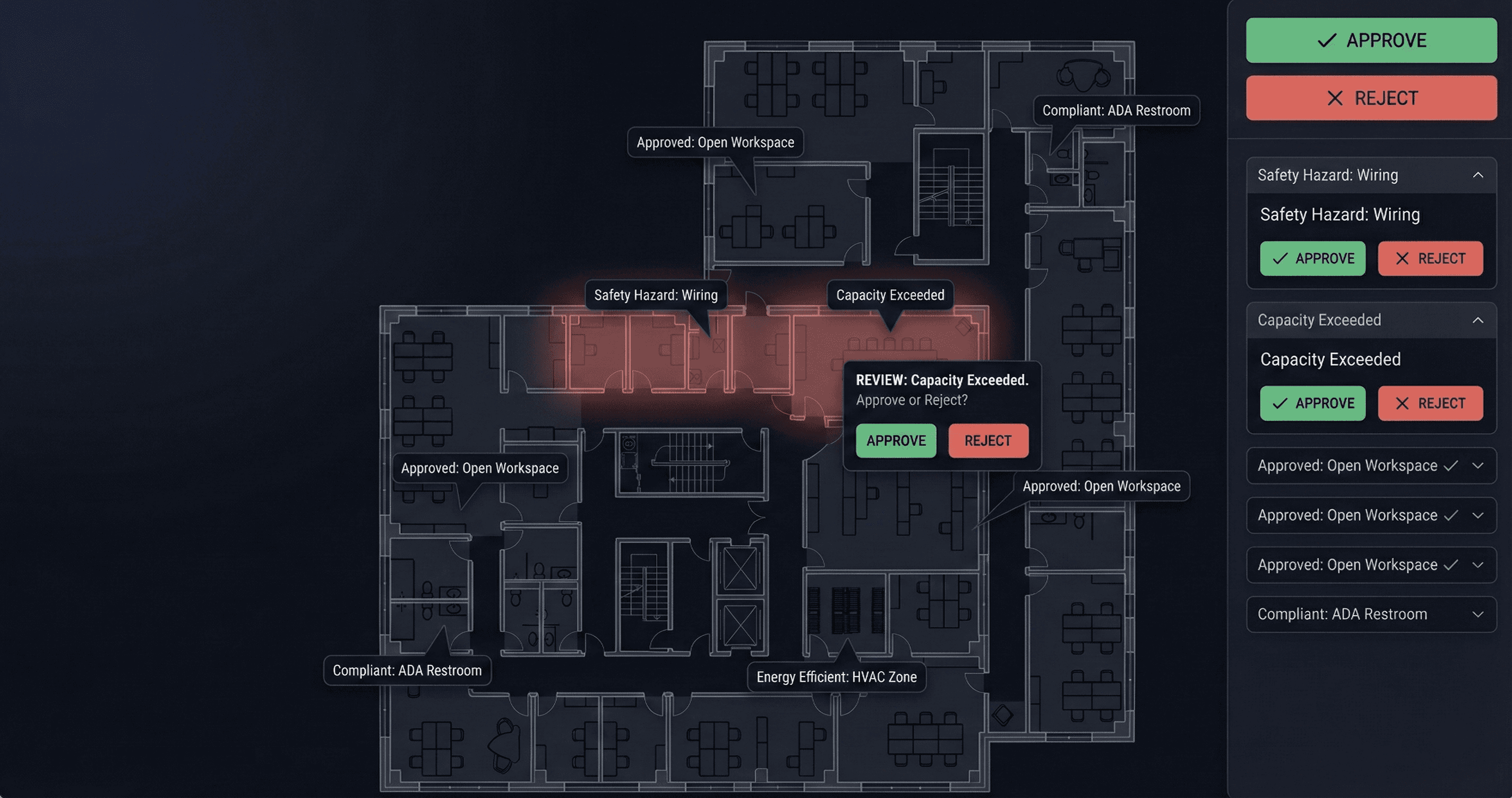
Design Audit
Door schedules say "Solid Core." Floor plans show "Glass." Architectural drawings show a void, but Structural shows a slab.
In projects with thousands of documents, contradictions hide in plain sight—until they become expensive rework on site. Manual cross-referencing is impossible at scale.
How CIM helps
Intelligent Cross-Referencing
CIM validates the relationships between documents, so discrepancies surface before construction begins.
Plan-to-Schedule: Automatically verify that room tags, door types, and finish codes on floor plans match the data in schedules.
Discipline-to-Discipline: Overlay Architectural layouts against Structural or MEP plans to spot alignment issues before trades arrive on site.
From "Discrepancy" to "Resolution"
Not every mismatch is a crisis, but the ones that matter need immediate attention.
Promote to Risk: Instantly flag conflicting data points as Design Risks.
Smart Filtering: Focus on material conflicts and ignore minor graphical inconsistencies.
Close the Loop
Design Audit is native to CIM, so issues don't die in a spreadsheet.
Protect the Budget
Finding a conflict between the Spec and the Plan during audit costs $0. Resolving it during install costs thousands.
SEE CIM IN ACTION
Door schedules say "Solid Core." Floor plans show "Glass." Architectural drawings show a void, but Structural shows a slab.
In projects with thousands of documents, contradictions hide in plain sight—until they become expensive rework on site. Manual cross-referencing is impossible at scale.
How CIM helps
Intelligent Cross-Referencing
CIM validates the relationships between documents, so discrepancies surface before construction begins.
Plan-to-Schedule: Automatically verify that room tags, door types, and finish codes on floor plans match the data in schedules.
Discipline-to-Discipline: Overlay Architectural layouts against Structural or MEP plans to spot alignment issues before trades arrive on site.
From "Discrepancy" to "Resolution"
Not every mismatch is a crisis, but the ones that matter need immediate attention.
Promote to Risk: Instantly flag conflicting data points as Design Risks.
Smart Filtering: Focus on material conflicts and ignore minor graphical inconsistencies.
Close the Loop
Design Audit is native to CIM, so issues don't die in a spreadsheet.
Protect the Budget
Finding a conflict between the Spec and the Plan during audit costs $0. Resolving it during install costs thousands.